How to Create Animal Face Swap with AI Tools?
Date: April 8, 2026 Author: PolaYan
Summary: A quick guide to animal face swap, covering what it is, how it works, how to create it step by step, and the tools you can use to get started.
In today’s crowded social media landscape, creating content that actually captures attention and drives engagement is a growing challenge. Whether it’s Instagram’s image-driven feed or TikTok’s fast-paced videos, audience expectations are higher than ever. Standard content no longer stands out—what works now are visuals that feel fresh, distinctive, and instantly memorable.
That’s where animal face swap comes in. This creative format has quickly taken off, offering a simple way to turn ordinary photos into something far more engaging. With the help of AI tools, you can create an animal face swap by blending human portraits with animal features in just a few steps—no complex editing required. The result is a compelling mix of familiarity and novelty, combining human expressions with the charm and personality of animals.
If you’re looking to explore this trend, this guide will walk you through the essentials. We’ll cover how it works, how to create your own animal face swap step by step, and share practical ideas along with tool recommendations to help you use this format effectively across different platforms.
What Is Animal Face Swap?
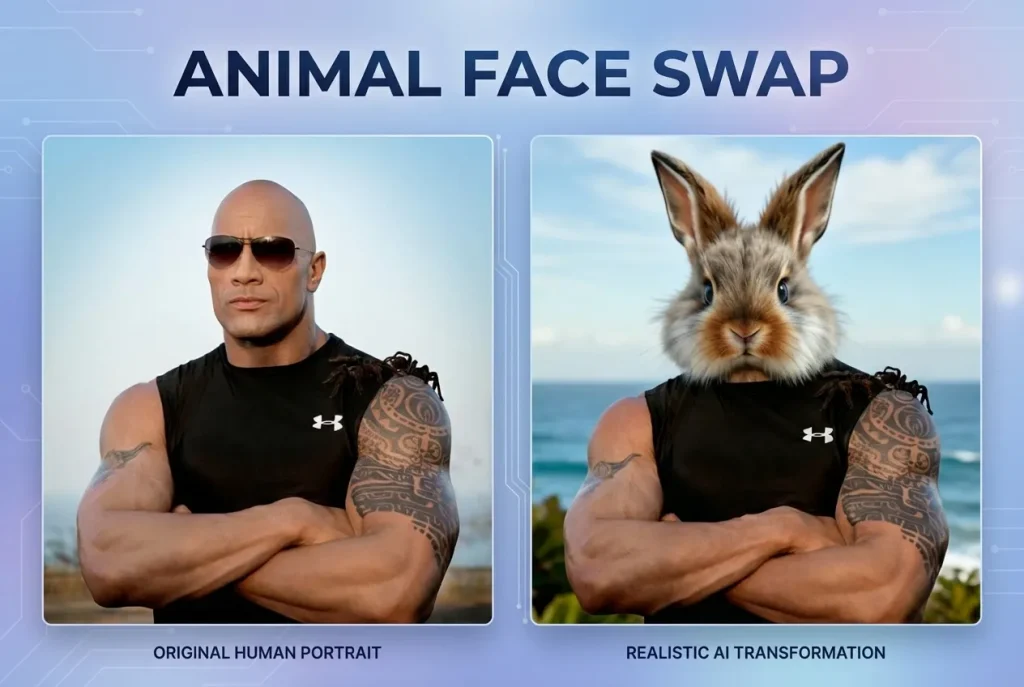
Animal Face Swap is a type of image generation technology that blends human facial features with those of animals. By analyzing facial structure and visual traits, it creates imaginative and often playful composite images.
It’s widely used for social media content and creative visuals. With just a single photo, you can quickly generate a distinctive face swap that stands out and captures attention.
Why Is Animal Face Swap So Popular?
Animal Face Swap has gained popularity largely because it makes creative image-making more accessible. Even without any design experience, users can produce engaging visuals in just a few steps—no need for complex tools like Photoshop.
At the same time, this type of content is naturally entertaining and highly shareable. It fits perfectly with platforms like Instagram and TikTok, where eye-catching and personalized visuals tend to perform best. As demand for distinctive content continues to grow, formats that combine simplicity with strong visual impact have quickly taken off.
The Free Online Tool for Animal Face Swap
Why Choose Pixnova?
Pixnova AI offers a streamlined workflow for animal face swap creation, allowing users to complete everything from selecting images to generating results in one place.
It supports both Animal Head Swap and Animal Face Morph modes. The former is ideal for quick and playful results, while the latter enables smoother and more natural facial blending, making it suitable for different creative styles.
In the Select Model section, users can choose between different AI models based on their needs. For example, animal_v1 provides stable and consistent results, while animal_v2 (Beta) supports animal image uploads and offers more flexibility for creative experimentation.
In addition, Pixnova includes a variety of built-in human and animal templates, along with a Choose or Upload option. This allows users to either use ready-made assets or upload their own images, making the entire process more flexible, efficient, and easy to use.
Key Features of Pixnova
Pixnova stands out for its simplicity, speed, and creative flexibility. The platform is designed to make animal face swap creation accessible while still delivering visually strong results.
It supports automatic face detection and one-click generation, allowing users to create an eye-catching animal face swap within seconds. In addition, Pixnova offers a range of style controls, making it easy to switch between playful effects and more realistic outputs.
Whether used for casual entertainment or social media content creation, it enables users to quickly generate polished and shareable results.
Hilarious Animal Face Swap Ideas
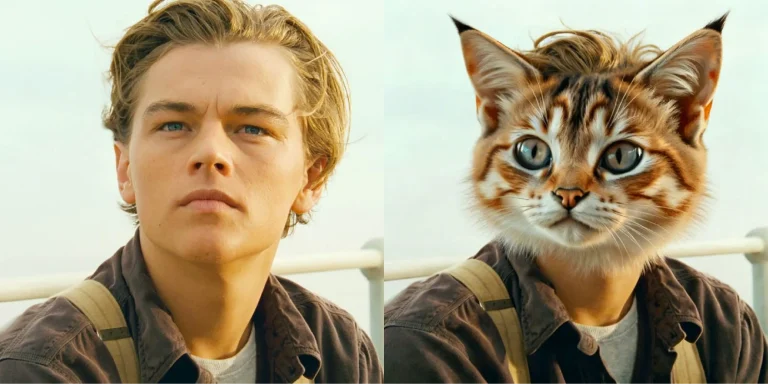
Cat Face Swap
A “serious cat boyfriend” look inspired by a classic cinematic style. The slightly furrowed brows and subtle lip expression feel surprisingly lifelike, combining a calm, composed presence with soft feline features for a result that’s both charming and amusing.
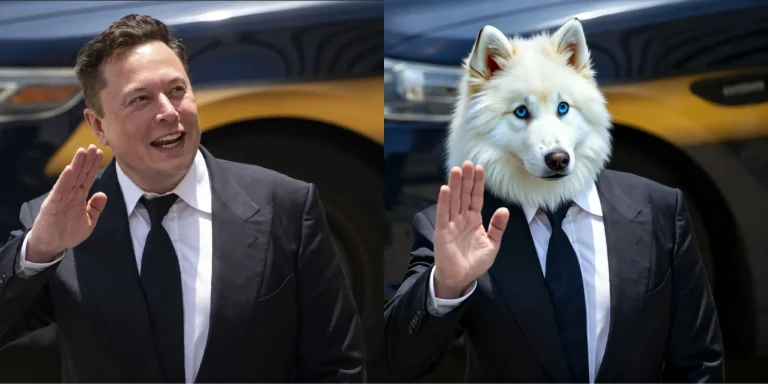
Dog Face Swap
A confident, tech-leader-inspired look blended with dog features. The sharp gaze and composed expression are paired with soft ears and a textured nose, creating a humorous contrast between authority and playfulness that makes the image highly shareable.
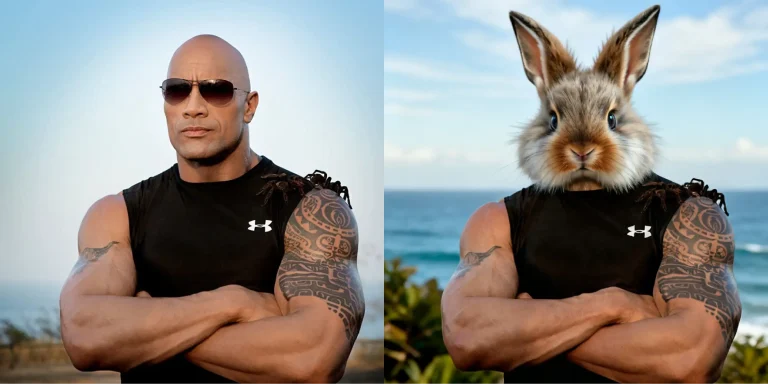
Rabbit Face Swap
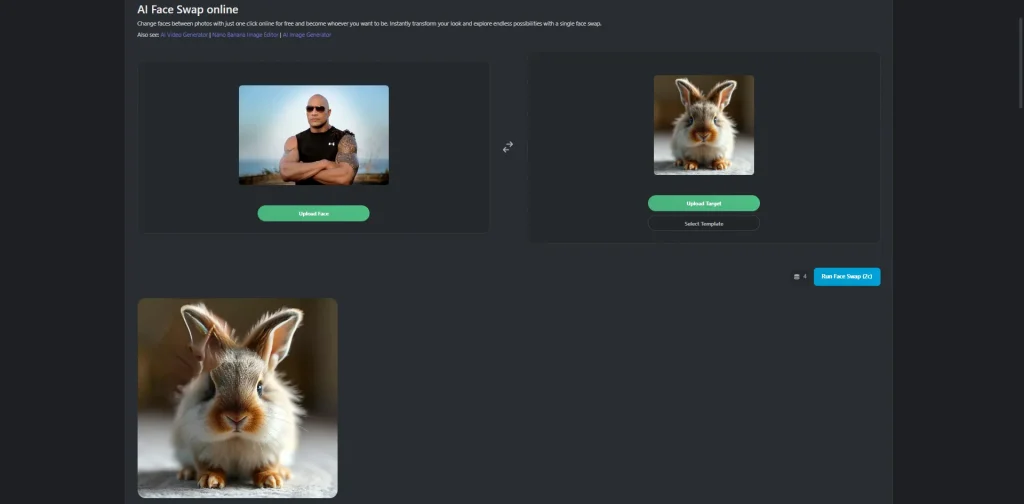
A bold “muscle bunny” concept with strong physical presence and exaggerated contrast. The powerful build and confident posture are combined with a round rabbit face and long ears, creating a striking mix of strength and cuteness.
How to Use Animal Face Swap: Step-by-Step Guide
This tool offers two different modes for creating an animal face swap, allowing you to choose the one that best fits your needs.
Animal Head Swap
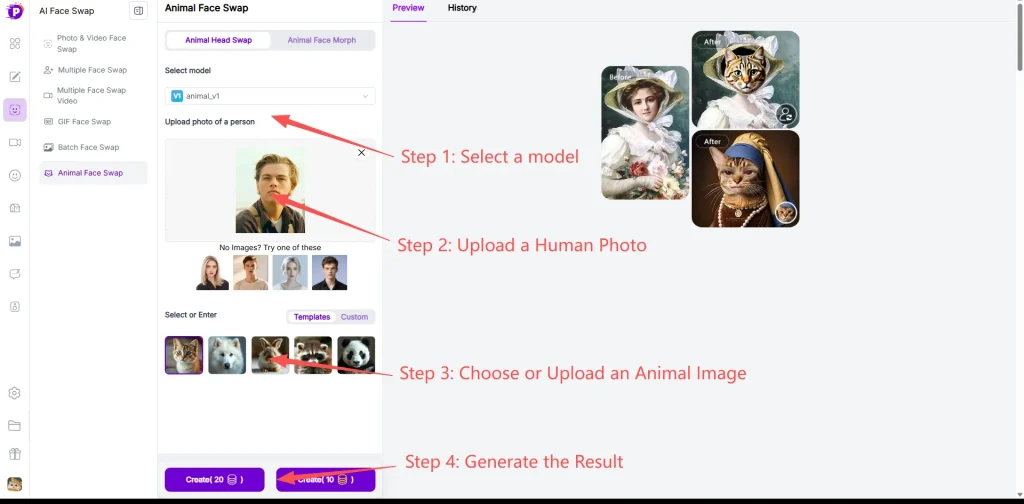
Step 1: Select a Model
Choose the AI model based on your needs. Different versions offer varying levels of stability and flexibility:
- V1 – Delivers stable and consistent results, ideal for predictable outputs
- V2 (Beta) – Supports animal image uploads and offers greater creative flexibility for experimentation
Step 2: Upload a Human Photo
Upload a clear, front-facing portrait as your base image. You can also use one of the built-in human templates provided by the platform.
Step 3: Choose or Upload an Animal Image
Select an animal from the available templates, or upload your own image. (Custom uploads are supported in V2.)
Step 4: Generate the Result
Click Generate to create your image. The result will appear in the preview panel, where you can download, share, or revisit it later in your history.
Animal Face Morph
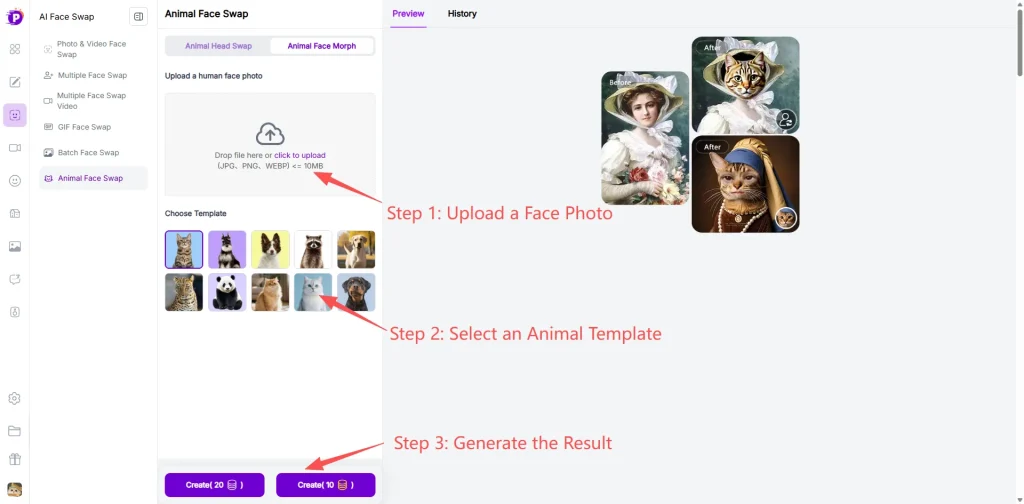
Step 1: Upload a Face Photo
Upload a clear photo with visible facial features for best results.
Step 2: Select an Animal Template
Choose the animal style you want to blend with your face from the available templates.
Step 3: Generate the Result
Click Create to generate your animal face morph. The result will appear in the preview for download or sharing
Alternative Tools for Animal Face Swap
1. pixlr
As a well-known creative editing tool, Pixlr offers a simple entry point for animal face swap creation, though its results are somewhat limited.
Pros:
- Clean and user-friendly interface
- Smooth overall experience
- Fast image processing, suitable for quick outputs
Cons:
- Limited face swap accuracy
- Weaker blending quality between human and animal features
- Results may look less natural compared to more specialized tools
2. Petswitch
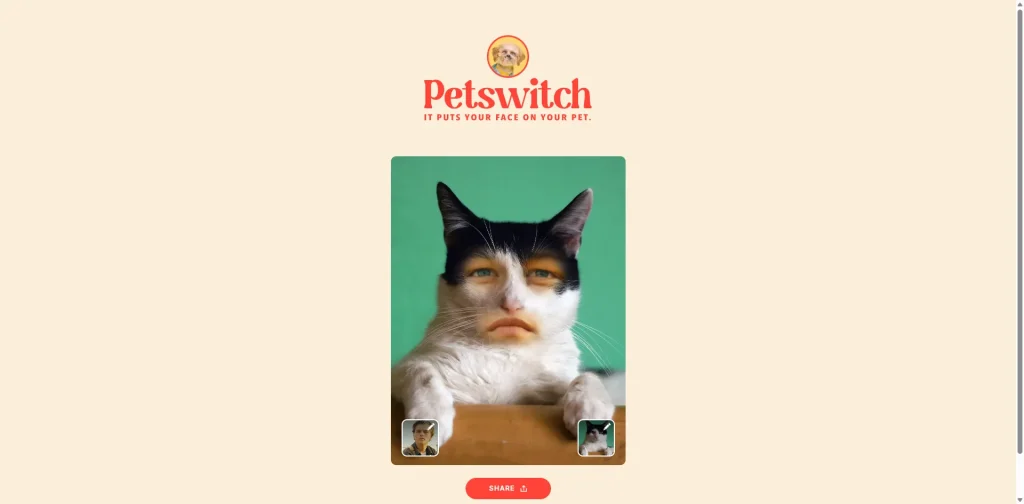
Petswitch focuses on a lightweight and straightforward animal face swap experience, making it suitable for casual use.
Pros:
- No sign-up required, easy to get started
- Supports both built-in templates and custom pet image uploads
- Quick and simple workflow
Cons:
- Only supports Animal Face Morph mode
- Does not support full Animal Head Swap
- Limited flexibility for creating stronger contrast or more dynamic effects
3. Pokecut
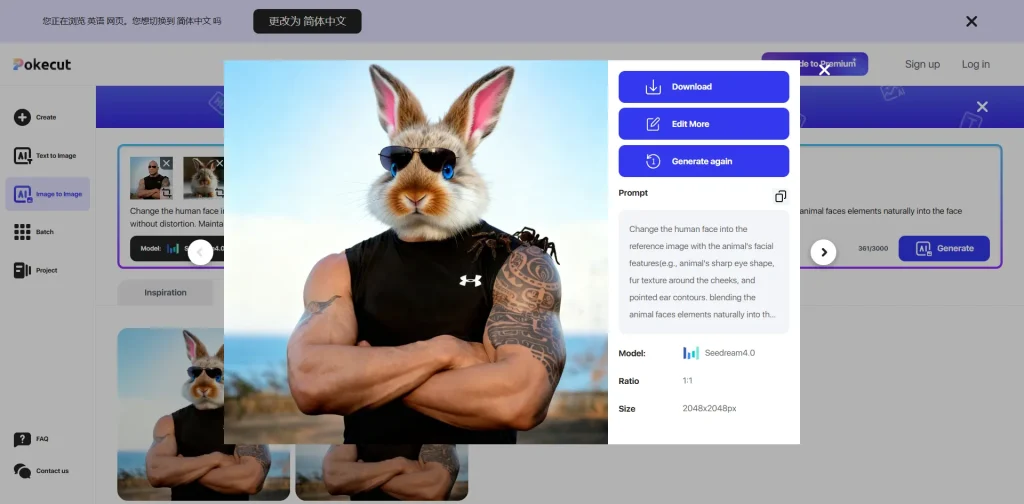
Pokecut offers more flexibility and control, making it a better fit for users who want higher-quality and more customizable results.
Pros:
- Supports prompt editing and AI model selection
- Greater creative control and flexibility
- More natural blending with better preservation of facial details
Cons:
- Full access requires a paid plan
Ready to Create Your Own Animal Face Swap?
With social media feeds getting more crowded than ever, standing out takes more than just a good photo. Animal face swap offers a fun and surprisingly effective way to create content that grabs attention and gets shared. The best part? You don’t need any design skills—just a photo and a bit of curiosity.
In this guide, we walked through what animal face swap is, how it works, and why it’s taken off. We also looked at Pixnova as a free, easy-to-use option, along with its key features, model choices, and two main modes. Plus, we covered a few alternative tools so you can find the one that fits your workflow.
Now it’s your turn. Give it a try, experiment with different ideas, and see what you can create.