
Magic eraser is designed to easily remove anything unwanted from your images, just like an eraser. Simply brush over the area you want to remove, the whole process is quick and easy.
Free AI Magic Eraser Online
With the free AI magic eraser, you can instantly remove text, people, objects, or any other unwanted content from your photos to get flawless images.
Magic Eraser
Select model
V1
Select scene
Objects
Mark
Text
Emoji
Upload Your Image
Drop file here or click to upload
(JPG、PNG、WEBP) <= 10MB
No Images? Try one of these



3 free run everydayNo login No watermark
Free Magic Eraser — 100% Clean
Just like an eraser, one wipe removes anything unwanted easily. Try our free magic eraser to remove text, logos, labels, or objects from your photos, fast, free, and accurate.
Get Started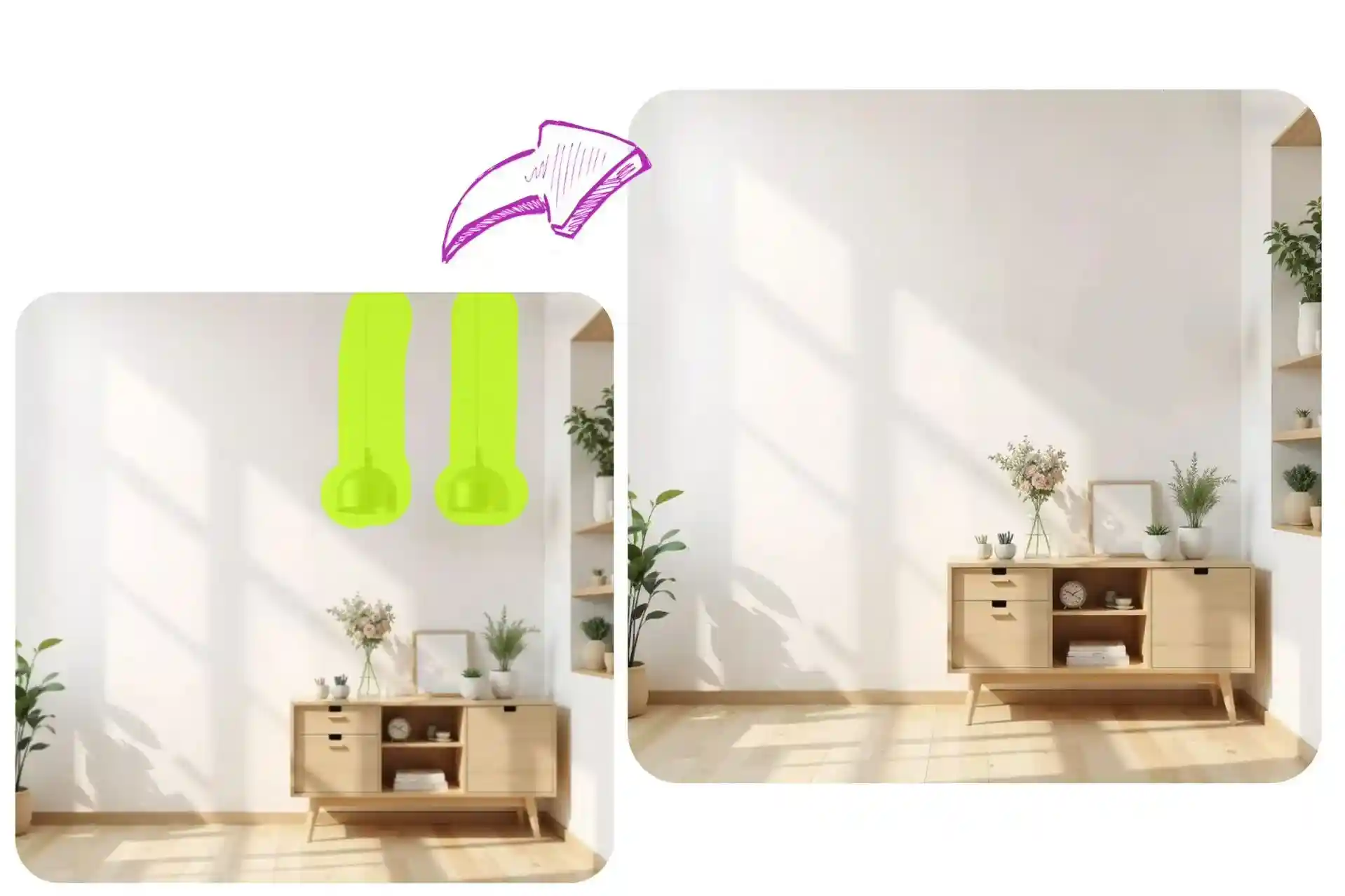
What Is Our Magic Eraser Used For?
From the fashion industry to personal fun or commercial projects, our magic eraser is used by thousands across different fields. Join them and upload your photo to remove objects for free.


Remove Labels for E-Commerce Photos
Remove distracting labels, discounts, or decorations from the products you showcase, and make your items stand out even more.


Remove Clutter for Photography
If passersby or clutter appear in your carefully shot photos, simply brush over them and erase them with one click to get a cleaner result.


Magic Eraser for Fashion Magazine
Use our magic eraser to remove creases, stains, or uneven lighting from magazine photos, making your images look more refined and professional.
Clean up Watermarks with Magic Eraser
Want to save or share a photo but find it ruined by an annoying watermark? Our magic eraser rivals professional AI watermark removers, simply brush over the watermark, and your photo will be perfectly cleaned without losing any original resolution.
Remove Watermarks Online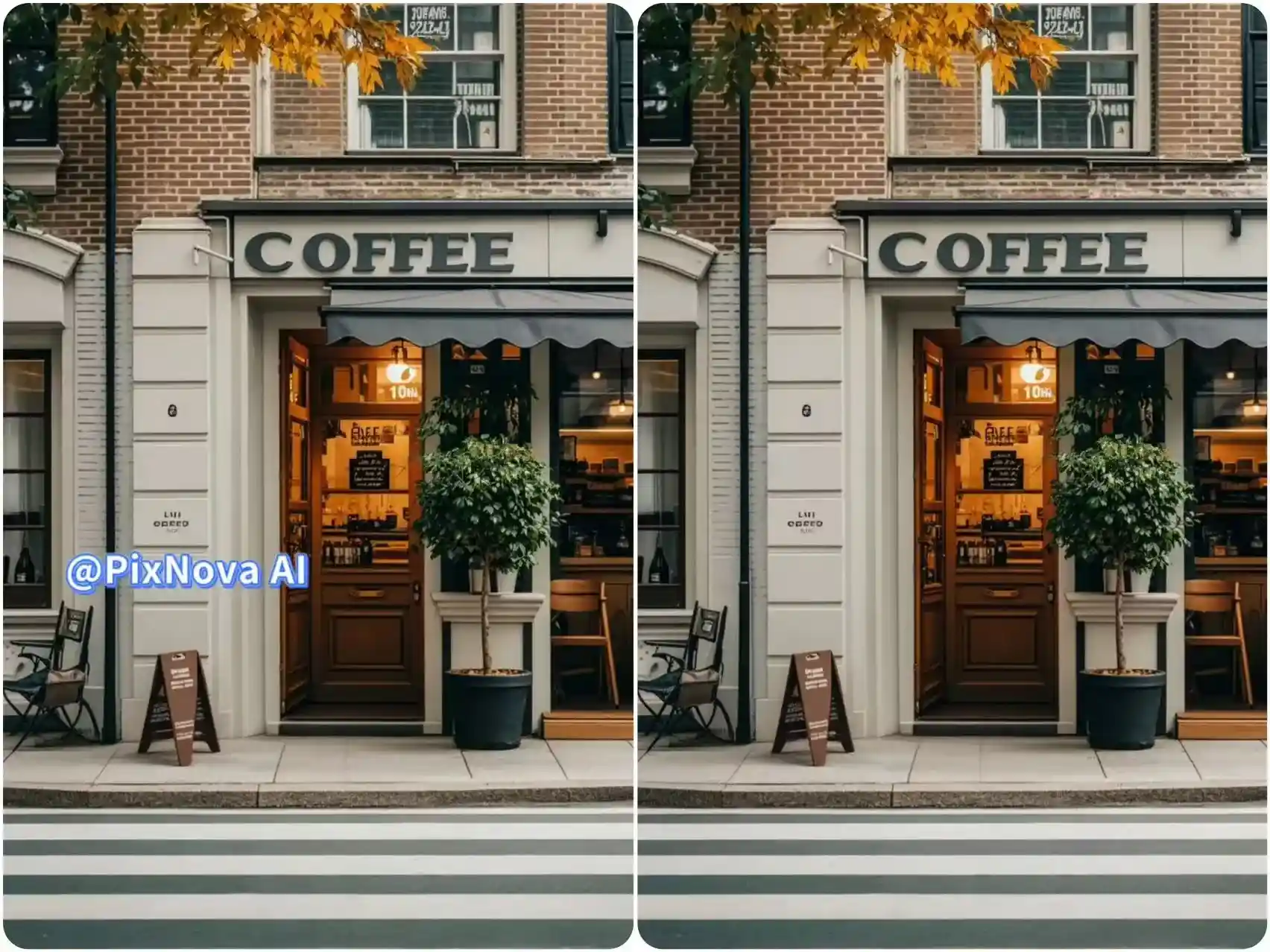
Remove the Unnatural Facial Shadows After Face Swapping
When face swapping, if the facial features of the two people differ greatly, the eyebrows or eyes may show unnatural shadows afterward. You can use our magic eraser to zoom in on these areas and carefully brush over them to remove the unnatural parts, making your face swap results look more natural.
Try Magic Eraser Online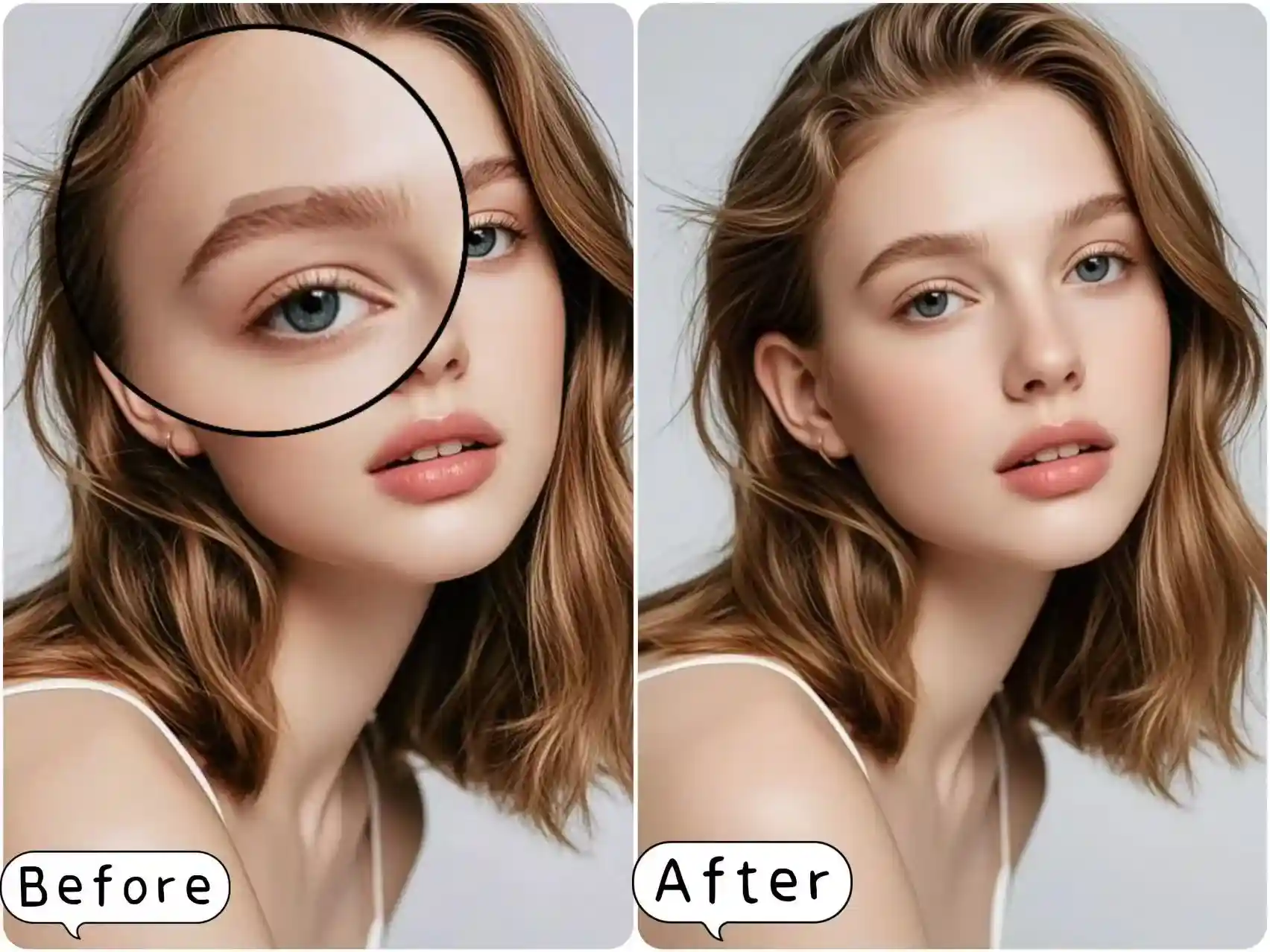
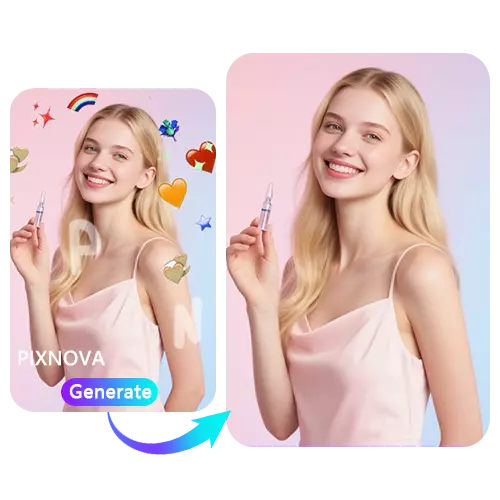
Magic Eraser for Emoji, Sticker, or Anything Unwanted
Photos taken on TikTok or Instagram are often covered with various effect stickers. No Photoshop skills are needed, our magic eraser lets you easily remove facial stickers, emoji stickers, or decorative icons, instantly restoring a clean look and making it effortless to share or repost your images.
Remove Unwanted Objects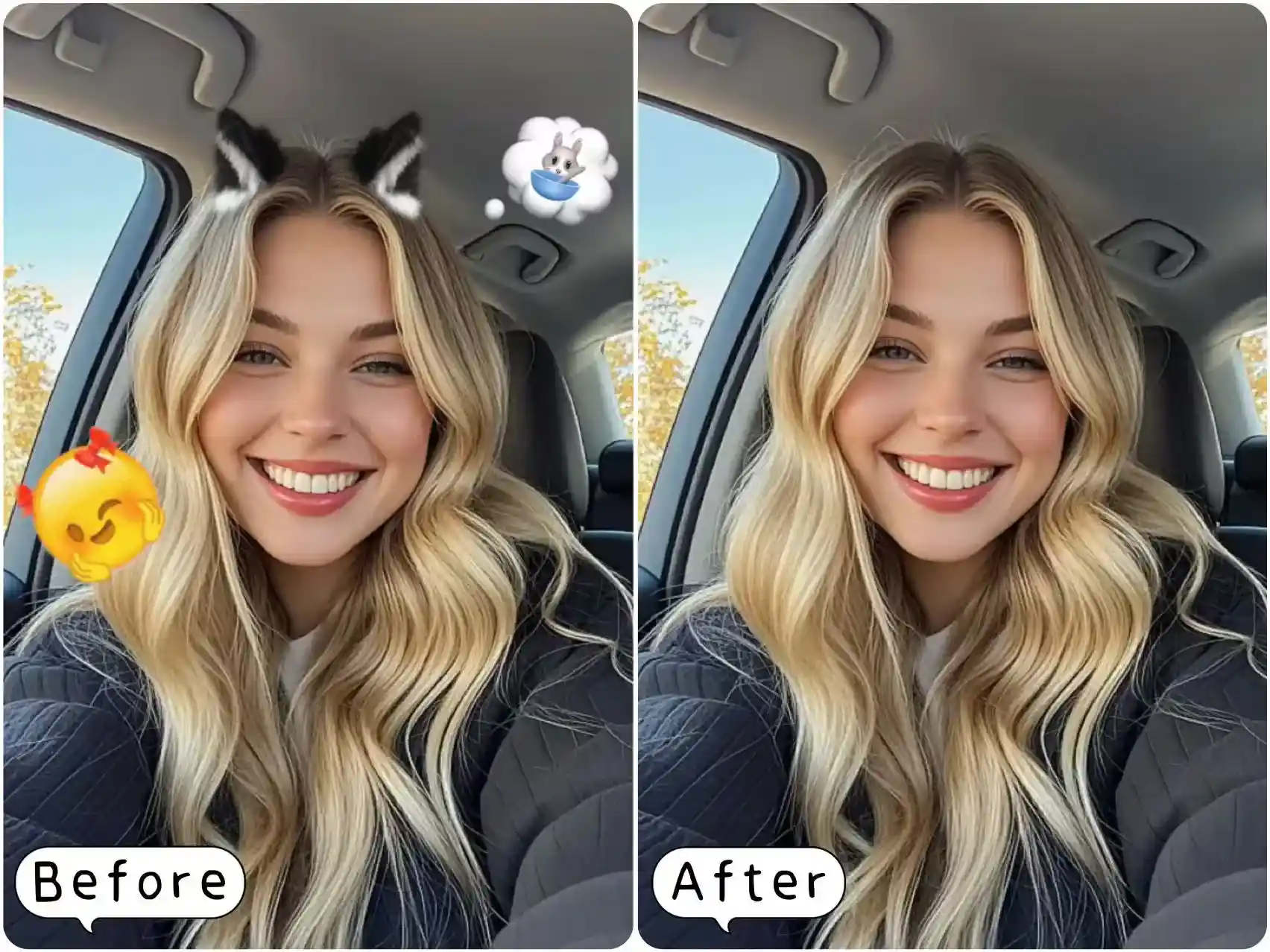
Remove Wrinkles on Your Clothes for Better Showcases
Wrinkles on a shirt can often affect how the model looks in photos. Use our magic eraser to brush away the wrinkles, making the fabric appear smooth and flat without damaging its original texture. Quickly enhance your photo quality, giving it a more polished and professional look.
Clean Up Images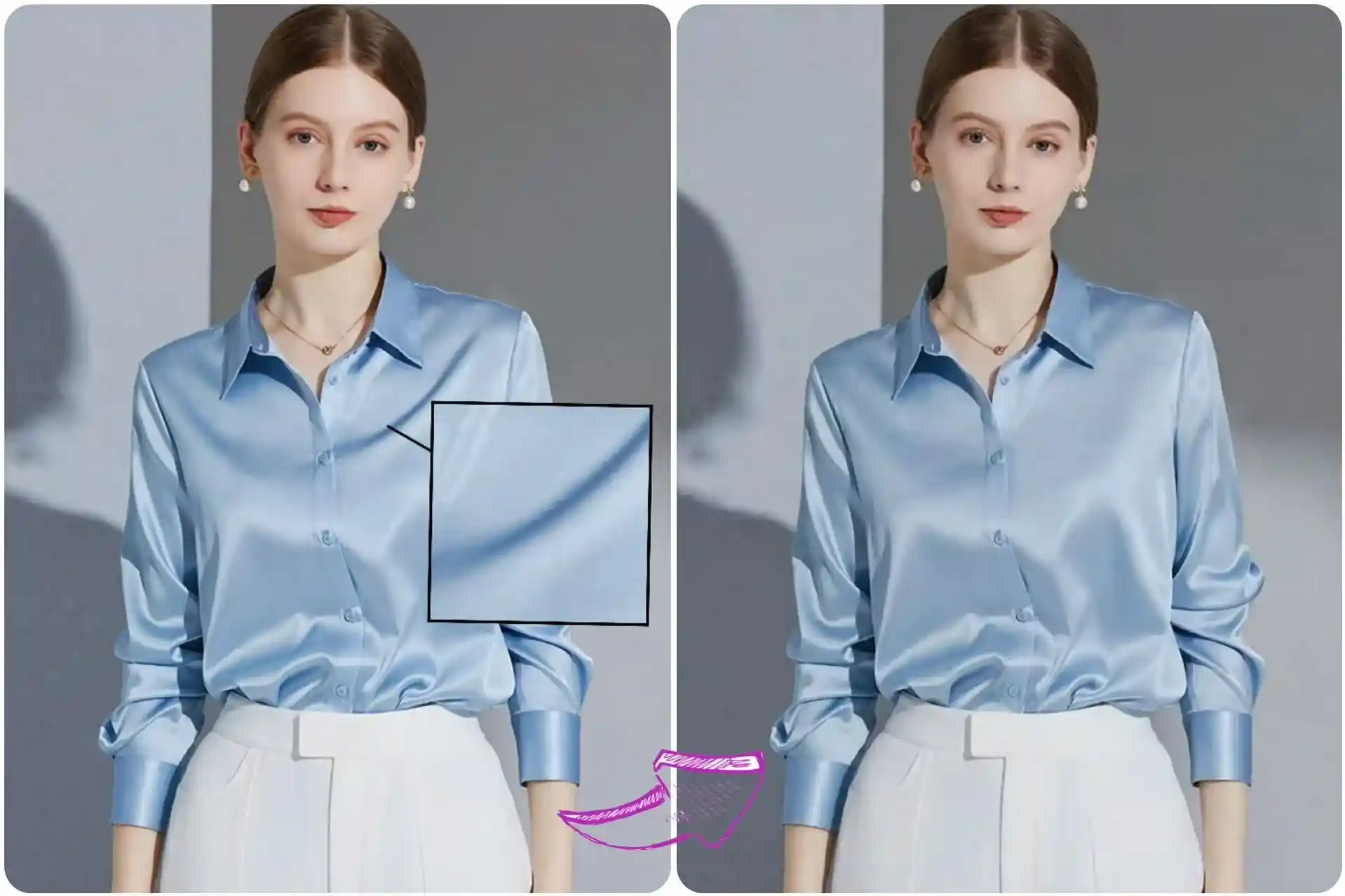
Step by Step Guide to Using Magic Eraser
1. Upload your image
Upload any image you want to edit, of any type, up to 10MB.
2. Brush Unwanted Parts
Brush over the areas you want to remove. For larger sections, you can tackle them in multiple steps.
3. Download & Share
Click the button, and within 3–5 seconds the brushed area will be removed, giving you a 100% clean result.
Tips for the Best Removal Results
If one pass doesn't fully remove the unwanted objects, follow our guide for more precise editing.
Zoom in for small or detailed areas to ensure precise removal without affecting surrounding parts.
If the background is complex, erase in layers, focusing on one section at a time.
For long or thin items, erase them in short segments across several steps.
Make sure your brush covers both the object and any shadows it casts before erasing.
FAQ for Free Magic Eraser
If you have any questions or suggestions while using magic eraser, please don't hesitate to leave us a message.